How to UEFI boot a 32 bit Windows OS
I just got a HP Pavilion x2 and wanted to install the Windows 10 32 bit technical preview.
Everywhere I searched said I could only UEFI boot a 64 bit OS.
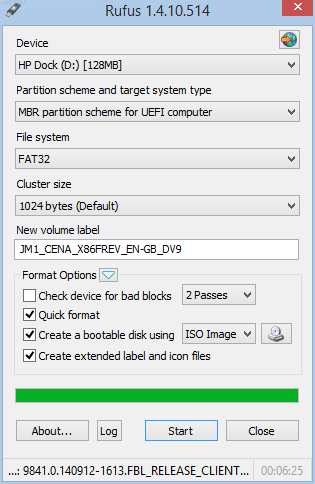
So I tried a different partition option in Rufus and I am pleased to say it worked.
The secret is to use the MBR partition. Below is a screenshot of the Rufus settings I used